Skip to content
PRODUCT TOUR

Watch one conversation become a clear next step.

Follow a lead through LeadVynx, from the first website message to qualification, ownership and follow-up.

SourceWebsite chat
StatusLead created
Incoming enquiryNew
MMayaNorthstar LabsHigh priority
We are evaluating a solution for a 25-person sales team. Can someone show us how this works?
ContactMayaCompanyNorthstar LabsIntentProduct evaluationTeam size25 people
LeadVynx / Lead workspaceLive context
MMayaNorthstar LabsHigh priority
Website chat · Product page · 10:42
We are evaluating a solution for a 25-person sales team. Can someone show us how this works?
New leadSource context attached
CHAPTER 01

A visitor asks a question. LeadVynx starts working immediately.

The original message, source page and timestamp stay connected as a new lead is created.

Captured without losing context
LeadVynx / Lead workspaceLive context
MMayaNorthstar LabsHigh priority
Website chat · Product page · 10:42
We are evaluating a solution for a 25-person sales team. Can someone show us how this works?
New leadSource context attached
CHAPTER 02

The message becomes a usable lead profile.

Visitor-supplied details and website context attach to one record. Unknown details remain clearly marked.

Everything the team needs in one place
LeadVynx / Lead workspaceLive context
MMayaNorthstar LabsHigh priority
Visitor suppliedNameMayaCompanyNorthstar LabsTeam size25 people
Session capturedSourceWebsite chatPageProduct overviewHistory2 page visits
Not yet knownWork emailMissingDecision timingMissing
CHAPTER 03

LeadVynx understands what the visitor is trying to accomplish.

The conversation becomes concise classifications, detected signals and visible missing context.

A message becomes a decision-ready signal
LeadVynx / Lead workspaceLive context
MMayaNorthstar LabsHigh priority
We are evaluating a solution for a 25-person sales team. Can someone show us how this works?
IntentProduct evaluationTopicSales workflowTeam size25Buying signalDemo requestConfidenceHighMissingDecision timing
CHAPTER 04

The team sees what deserves attention first.

Maya moves to the top because the request is specific, recent and commercially relevant.

The right conversation reaches the top
LeadVynx / Lead workspaceLive context
MMayaNorthstar LabsHigh priority
Prioritised inboxIllustrative comparison
MMayaNorthstar Labs
HighDemo requested for 25-person teamNow · Clear request · Recent engagement
JJordan · Pricing questionReview
AAlex · General enquiryNormal
CHAPTER 05

The lead reaches the right person without internal guesswork.

LeadVynx suggests an owner. A team member confirms the assignment and the response deadline becomes visible.

Clear responsibility from the beginning
LeadVynx / Lead workspaceLive context
MMayaNorthstar LabsHigh priority
Suggested ownerPriya SharmaSales team · Product enquiries
Assignment confirmed by teamStatus changed to In progress
Response deadlineToday at 11:15
Internal note: Show routing and prioritisation for a 25-person sales team.
CHAPTER 06

LeadVynx prepares the team to respond with context.

An editable response uses approved business knowledge while the salesperson keeps control.

Faster response without losing judgement
LeadVynx / Lead workspaceLive context
MMayaNorthstar LabsHigh priority
Suggested responseReview before sendingDraft

Hi Maya, LeadVynx can support a 25-person sales team by centralising website conversations, qualification and follow-up ownership. I can also show you how routing and lead prioritisation would work for your team.

Approved product overview Sales workflow guide
Suggested follow-up: Arrange a product demonstration.
CHAPTER 07

Every action becomes part of the lead’s history.

The message, interpretation, assignment, response and follow-up remain connected in one timeline.

Nothing disappears after the reply
LeadVynx / Lead workspaceLive context
MMayaNorthstar LabsHigh priority
  1. Message received10:42
  2. Intent detected10:43
  3. Lead qualified10:43
  4. Owner assigned to Priya Sharma10:43
  5. Response approved10:48
  6. Response sent10:49
  7. Demonstration requested10:50
  8. Follow-up scheduled10:51
THE COMPLETE JOURNEY

One conversation. Seven coordinated actions.

01Message02Context03Intent04Priority05Owner06Response07Outcome
Less manual sortingFaster ownershipClearer next actions
EXPLORE THE INTERFACE

Now explore the workspace at your own pace.

Open a verified LeadVynx view and see the job it supports.
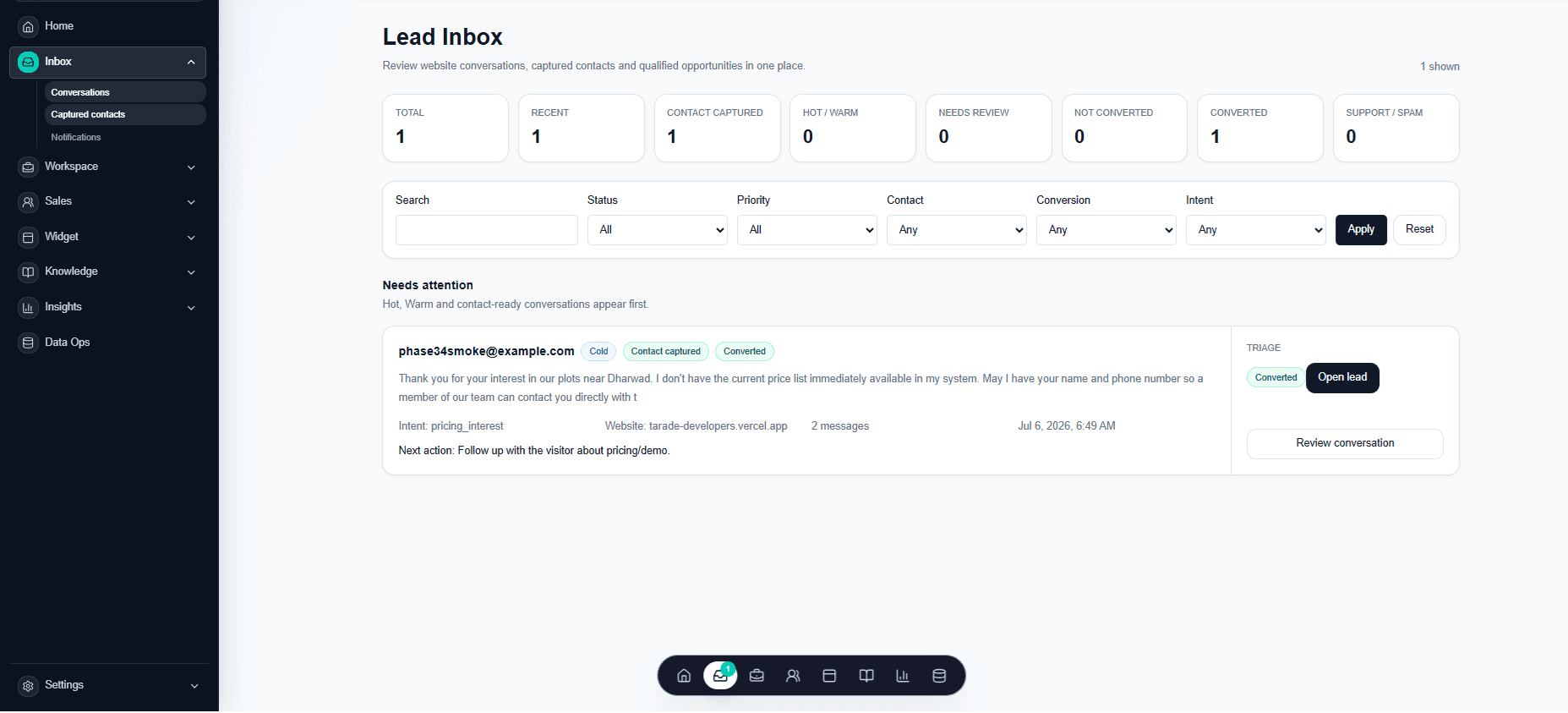
LeadVynx Lead Inbox with captured context and next actions
CONTINUE EXPLORING

You have seen how the workflow moves. Now explore everything inside it.

Take a closer look at LeadVynx capabilities across conversations, qualification, knowledge, reporting and operations.

COOKIE SETTINGS

The public site can generate optional interaction events after you choose "Accept all". No analytics provider currently receives those events, and event payloads are not transmitted to or stored by any analytics provider.

Strictly necessaryAuthentication, assistant continuity and cookie-choice storage
Always active