One approved source
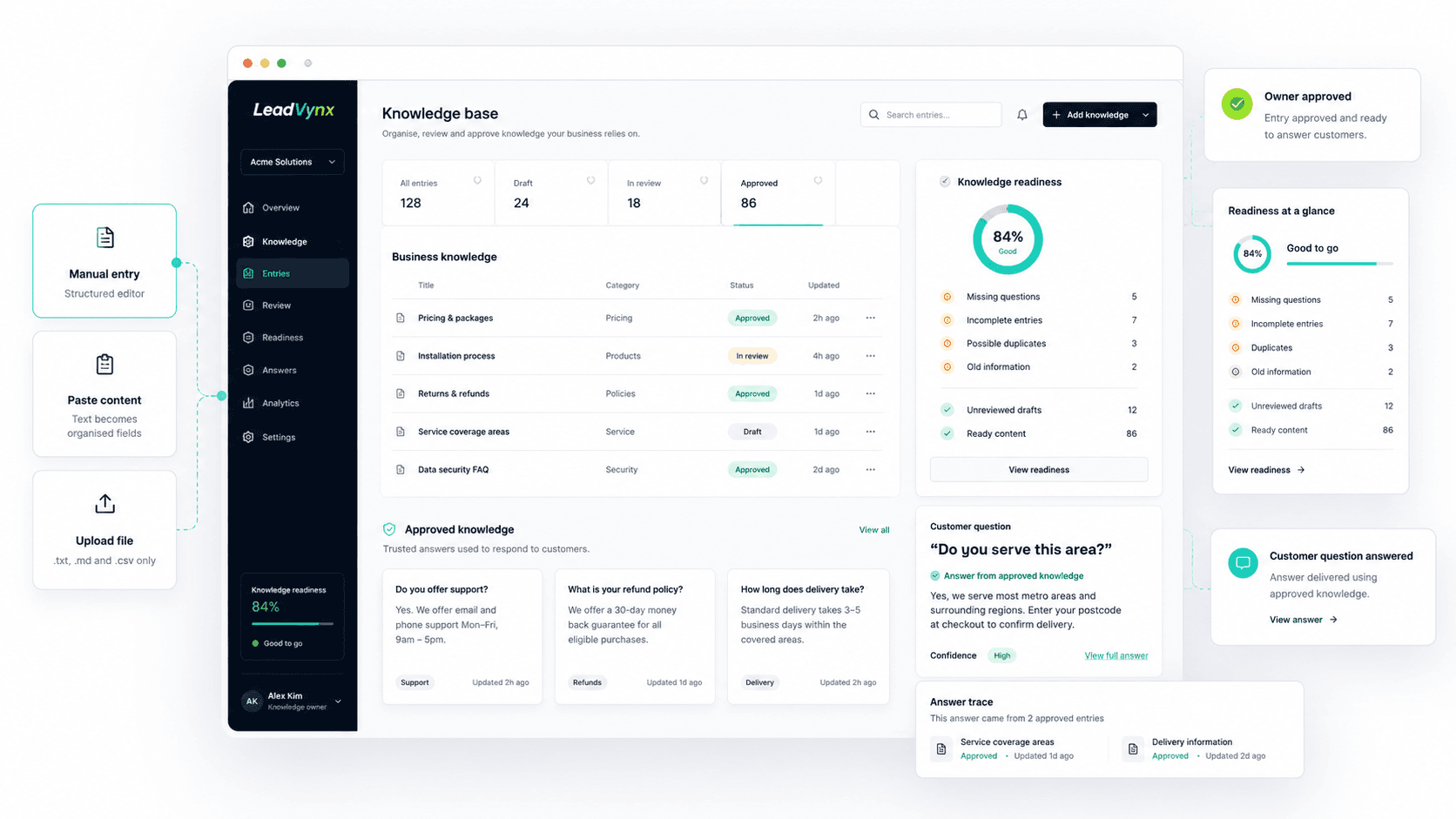
Keep services, pricing, locations, policies and answers in a reviewed system.
Add, organise and approve your business information so LeadVynx can answer customers accurately, consistently and without guessing.
Pricing sits in one document, service details in another and important answers remain inside team messages. Without one reviewed source of truth, customers receive inconsistent or outdated responses.
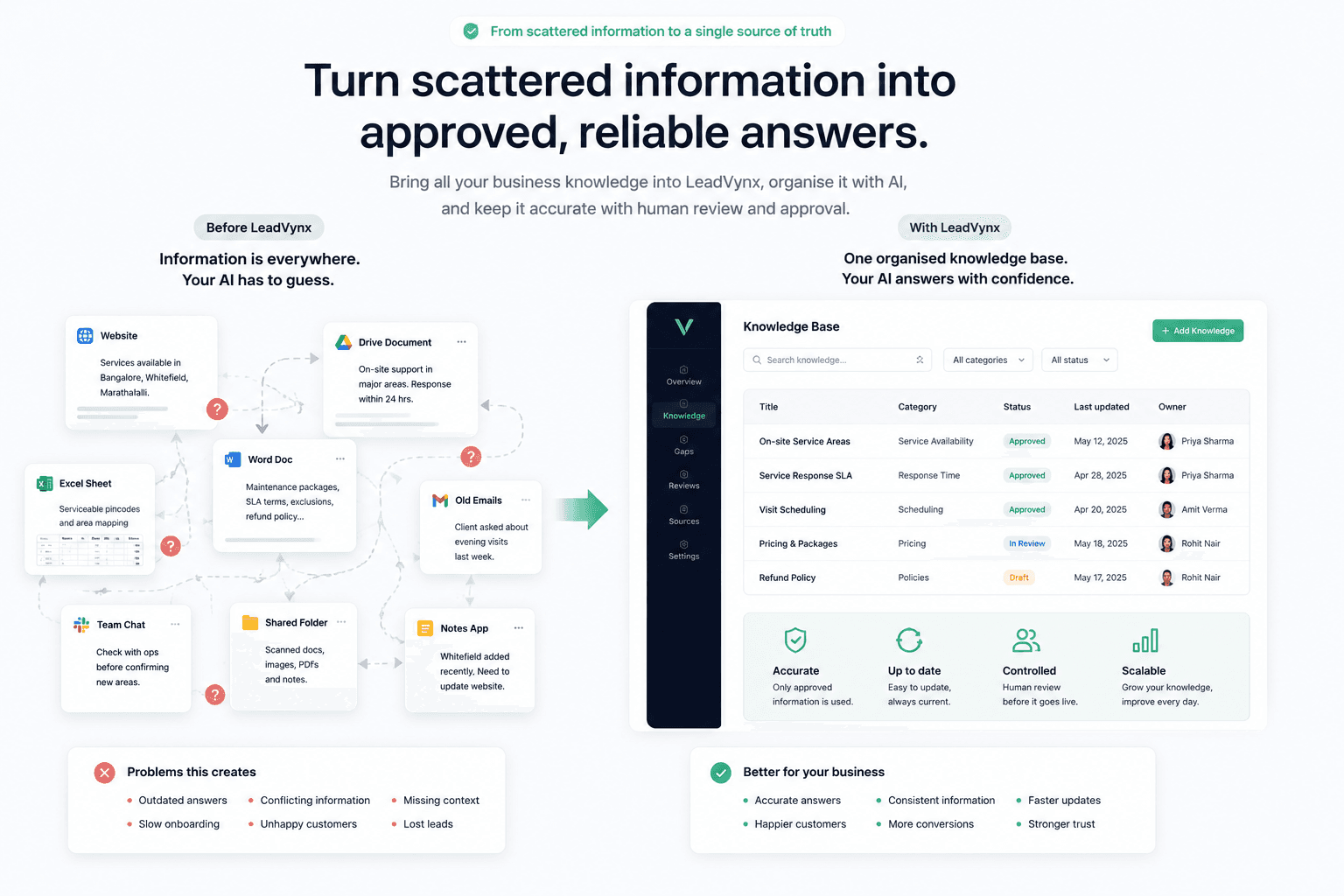
Keep services, pricing, locations, policies and answers in a reviewed system.
Separate approved information from drafts and assumptions.
Correct one reviewed entry instead of chasing copies across documents and messages.
LeadVynx helps your team capture business knowledge, organise it, review it and make it safely available during customer conversations.
Enter information directly, paste existing content or upload a supported text file.
Structure the material into clear entries that owners can search and review.
Correct the wording, confirm ownership and approve only what customers should receive.
The AI answers from the approved layer and exposes gaps instead of guessing.
Your team does not need to rebuild every answer manually. Bring existing business information into LeadVynx and review it before publishing.
Add questions, answers, categories and supporting details through a structured editor.
Bring in website or page text, then edit and approve the useful parts.
Read .txt, .md or .csv files locally, review the extracted text and choose what to save.
Draft information remains unavailable to customer-facing AI. Knowledge owners can review, correct and approve each entry before it becomes part of the trusted answer layer.
Information has been added but is not available to answer customers.
An owner is checking accuracy, wording and completeness.
The entry is ready to support customer-facing answers.
LeadVynx uses deterministic quality checks to help your team find gaps and risky entries. It never auto-edits, auto-merges or auto-deletes your knowledge.
Open the related entries, inspect the evidence and decide the next manual review action.
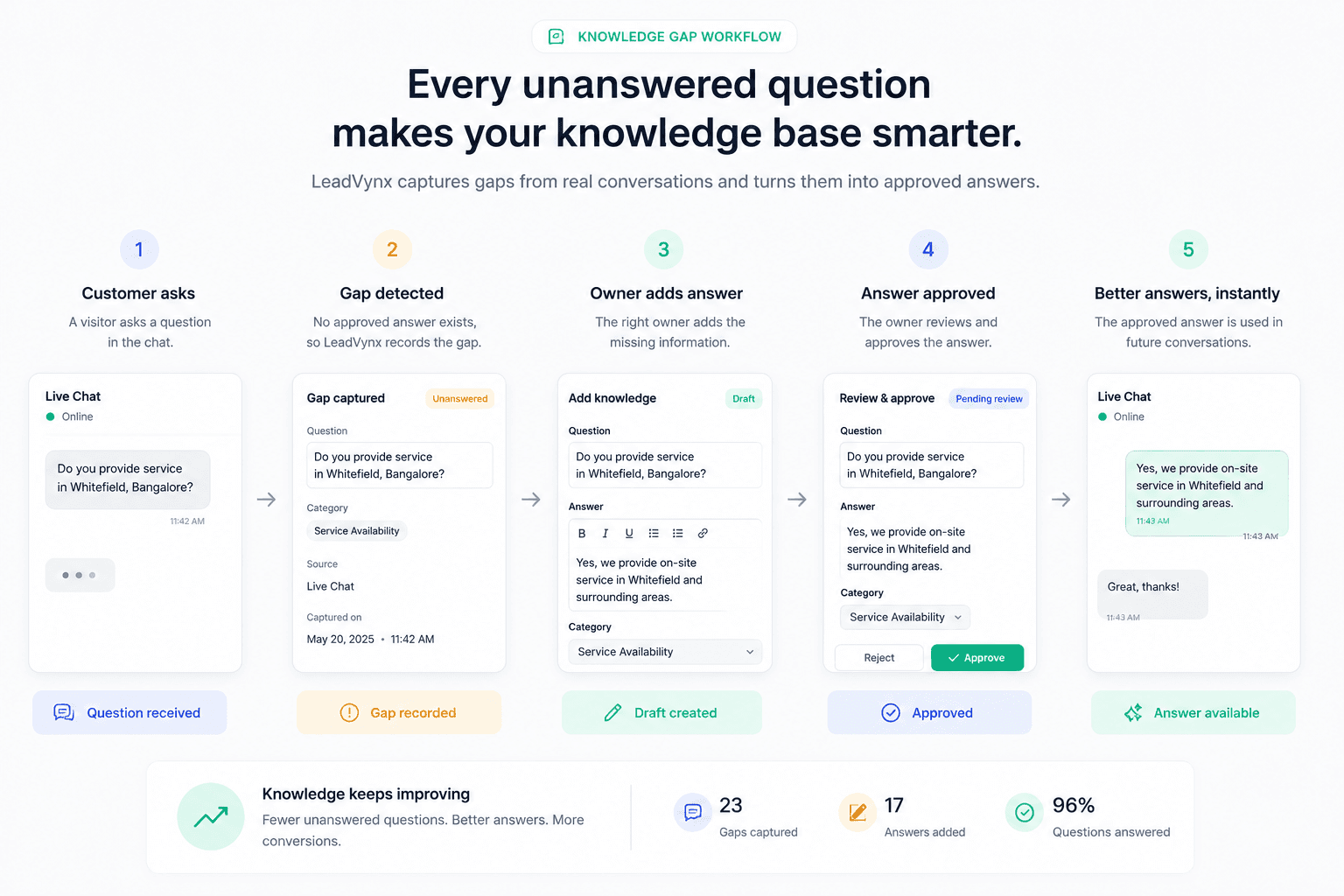
When LeadVynx cannot find an approved response, it records the question as a knowledge gap. An owner can add and approve the missing information so a future customer receives a grounded answer.
LeadVynx can answer a customer question, show which approved entries informed the response, capture conversation details and recommend a next action within the same reviewed workflow.
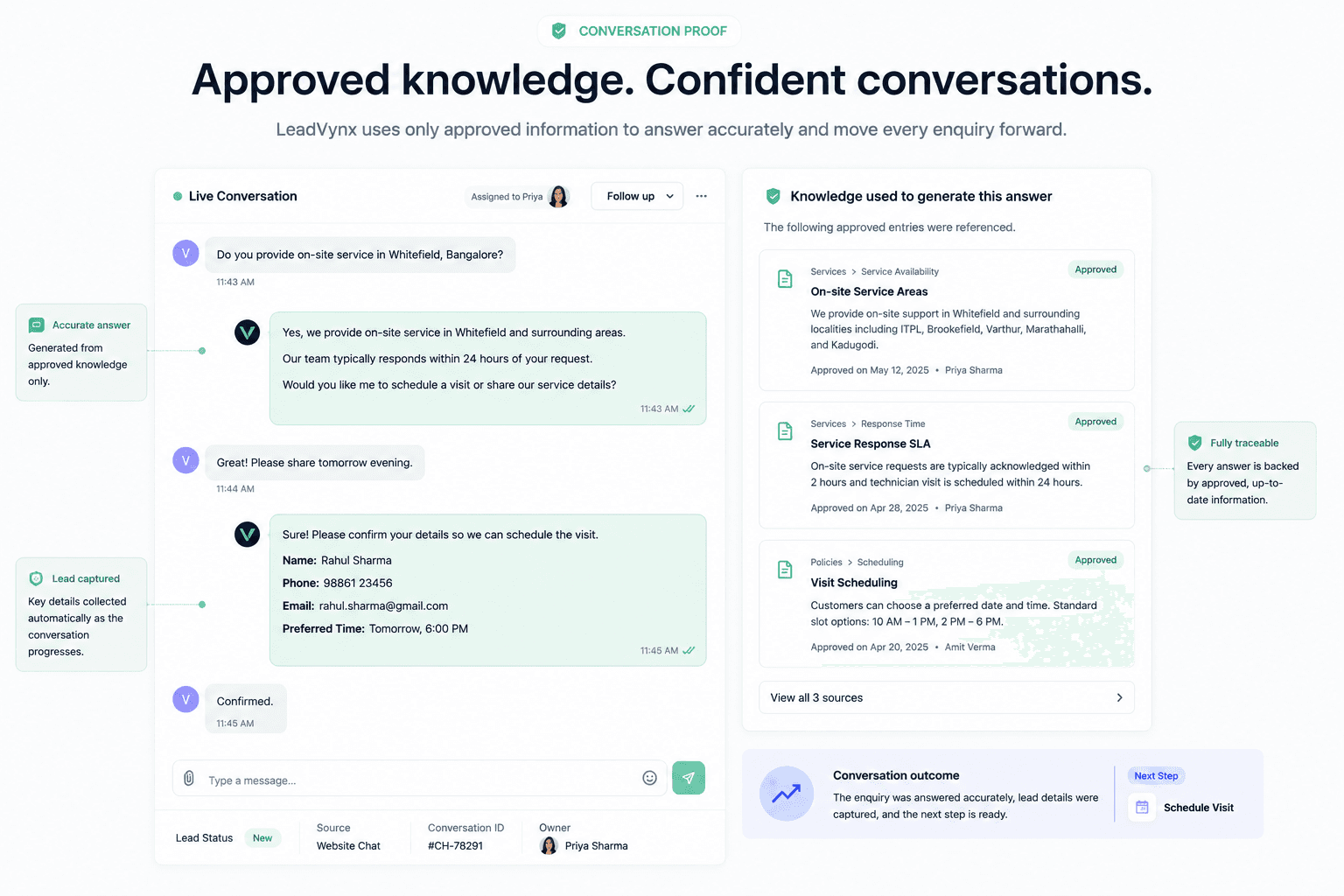
Responses use approved entries rather than generic guesses.
Reviewers can see which knowledge supported the answer.
Captured details stay attached to the conversation for review.
The team sees what information or follow-up is needed next.
Keep each question and answer clear and searchable.
Separate drafts from approved customer-facing information.
Make the responsible reviewer clear.
Surface weak, stale and incomplete content.
Turn unanswered questions into a visible review queue.
Find entries by topic, status or issue.
Connect customer answers back to approved knowledge.
Improve entries through owner-controlled changes.
Ground customer answers in reviewed business information.
Give new team members one organised source to learn from.
Keep drafts, approvals and corrections visible.
Identify what the knowledge base still needs to answer.
No. Draft and in-review entries stay outside customer-facing answers until an owner explicitly approves them.
Yes. Owners can review and edit entries, then approve the corrected information before it is used.
The question is surfaced as missing knowledge so an owner can add and review the answer. The system should not invent one.
The current private-test workflow reads .txt, .md and .csv files in the browser, then asks an owner to review the extracted text before saving.
Approved knowledge entries stay traceable in the conversation and review workflow.
No. Quality checks can flag weak, stale or duplicate entries, but owners remain in control of every edit, archive and approval.
Give LeadVynx the approved business knowledge it needs to answer customers accurately and move every enquiry forward.