Contact options hidden across pages
Visitors unsure which channel to use
Different layouts on different devices
Actions detached from page context
Bring chat, WhatsApp, calls, bookings, brochures, directions and enquiries into one configurable website dock so visitors never have to search for what to do next.
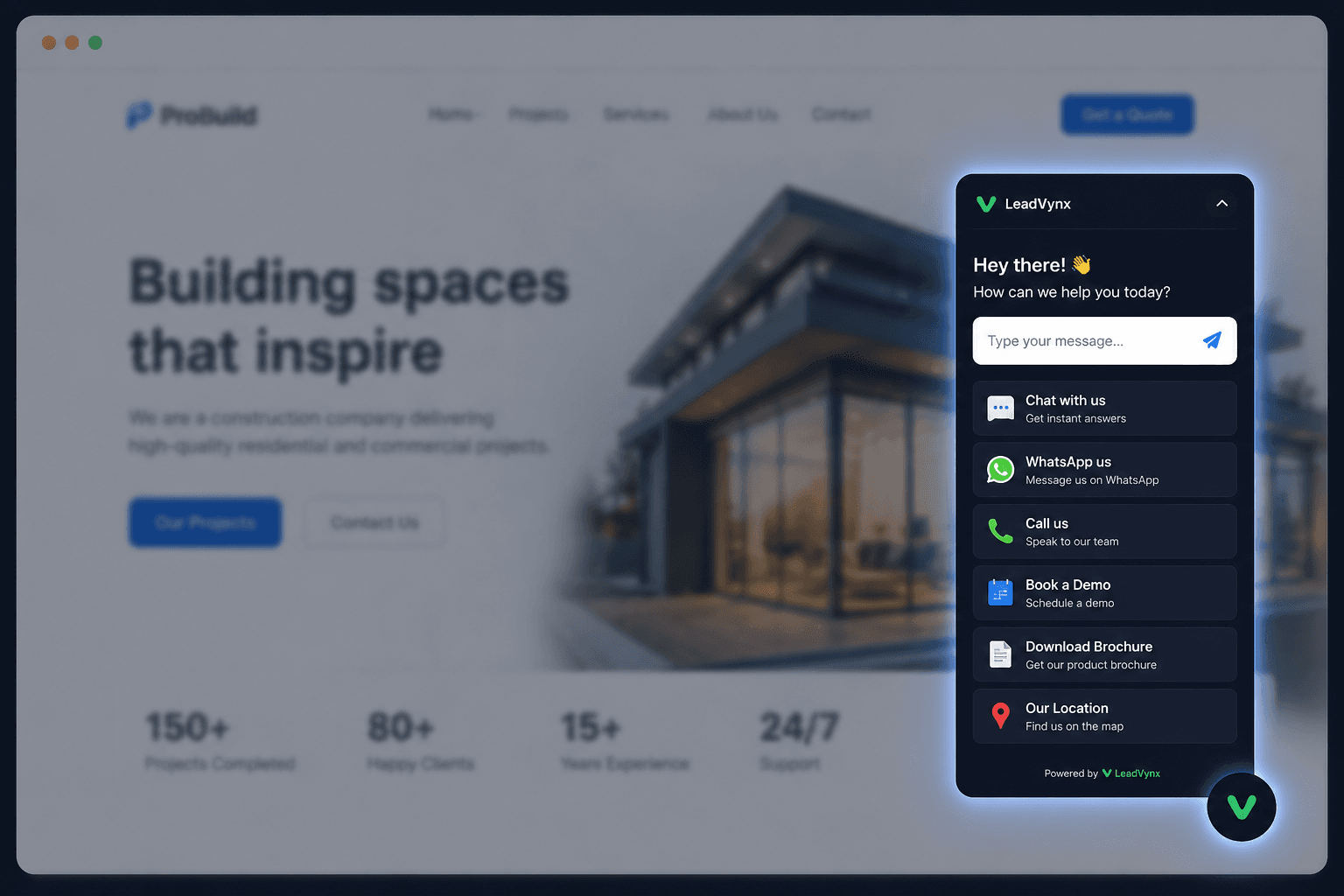
Contact forms, phone numbers, WhatsApp links, brochures and booking pages are often scattered across a website. Every extra search, click or decision creates another opportunity for the visitor to leave.
Contact options hidden across pages
Visitors unsure which channel to use
Different layouts on different devices
Actions detached from page context
Important actions stay easy to find
Visitors choose a preferred next step
The interface adapts across screens
Chat stays connected to the current page
Choose the actions that matter to your business and make them available from one consistent visitor experience.
Let visitors ask questions without leaving the page they are viewing.
Offer a familiar messaging destination when that action is configured.
Make a phone action visible at the moment a visitor is ready to speak.
Route visitors to an approved booking destination.
Give visitors direct access to an approved resource.
Open the business location or directions configured by the owner.
Offer a business-specific action for the intent that matters most.
Product truth: website chat is the verified live conversation path. Other action tiles are shown as configurable destinations or previews and require a valid business destination before publication.
Visitors can type a message immediately, then choose WhatsApp, phone, booking, brochure, location or another configured destination when that channel suits them better.
The current page remains visible and supplies useful context.
Chat captures the conversation; other actions open their configured destination.
Conversation details stay available for review, qualification and the next manual action.
Control where the dock appears, how it opens, which actions visitors see and how it matches your brand from one configuration workspace.
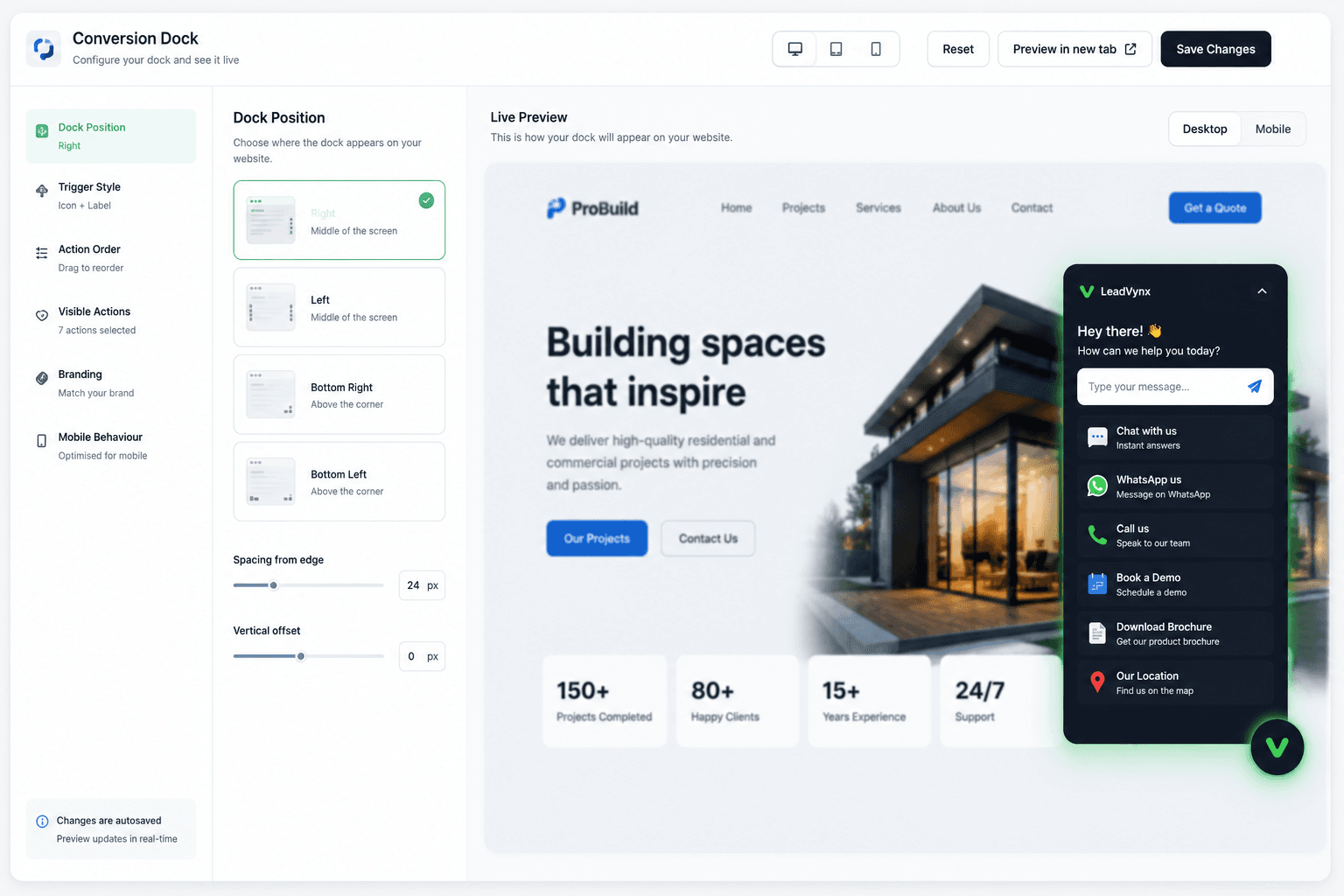
The Conversion Dock adapts its layout and interaction model for desktop, tablet and mobile without hiding the actions visitors depend on.
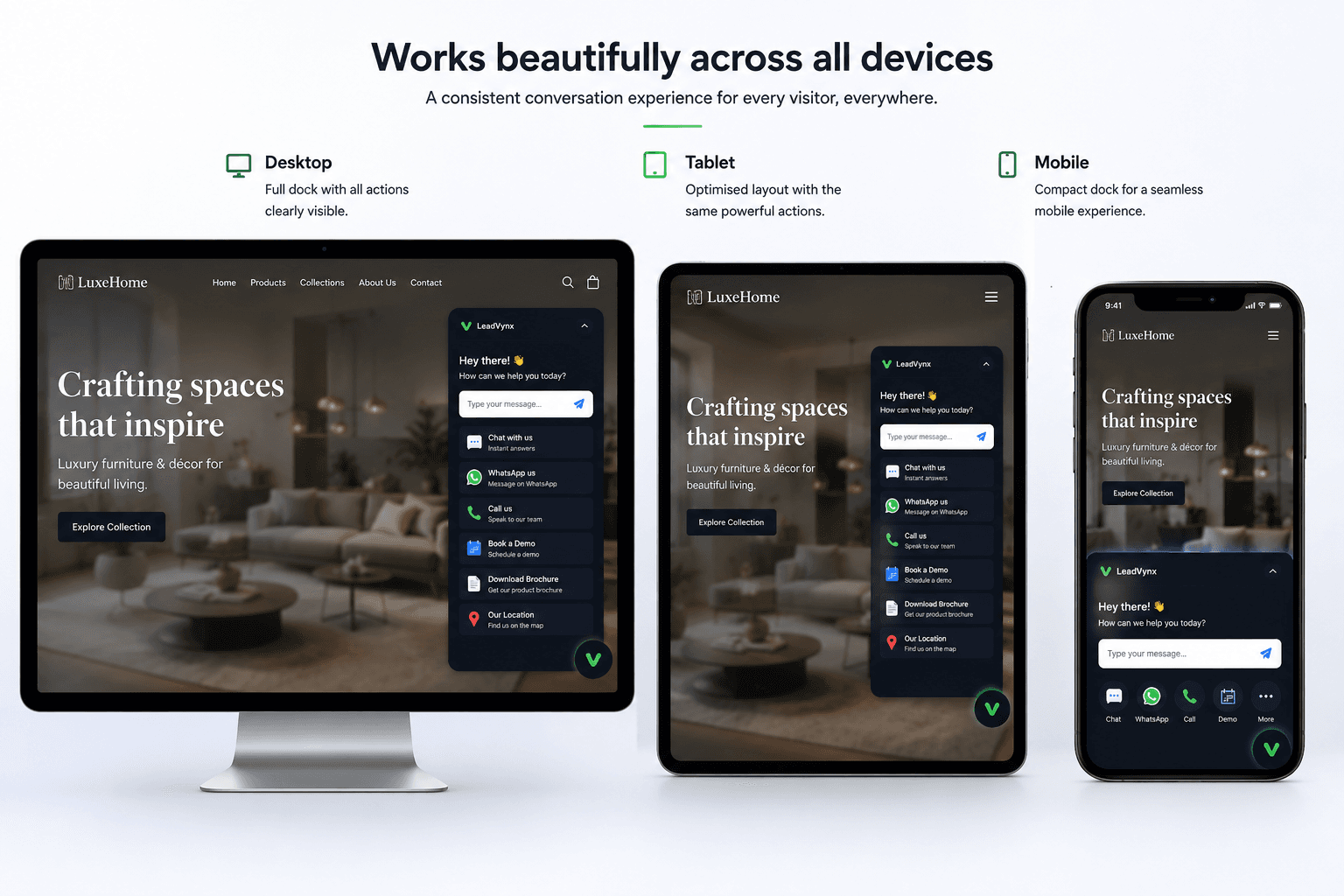
Labels and actions remain large enough to understand and tap.
The interaction changes shape instead of shrinking the desktop UI.
The same approved actions remain recognisable across devices.
Choose position, actions, order, branding and device behaviour.
Check the dock across desktop, tablet and mobile before publishing.
Add the workspace-specific LeadVynx widget script supplied by the product and publish it on the website.
The same dock can be configured differently depending on how each business handles enquiries, appointments, visits and purchases.
Chat, WhatsApp, call, site-visit destination, brochure and location.
Ask a question, call admissions, programme resource and counselling destination.
Product question, call, demo destination and implementation resource.
Service question, call, approved appointment destination and location.
Keep a preferred next action available without forcing navigation.
Let visitors choose from the destinations your business has approved.
Maintain one recognisable enquiry experience across the website.
Update the dock configuration instead of rebuilding page layouts.
Usually focused only on chat
One generic interaction
Same basic layout everywhere
Limited placement control
Combines chat with configured actions
Supports multiple approved destinations
Adapts across desktop, tablet and mobile
Keeps the visitor’s page context visible
A configurable website interface that keeps chat and approved visitor actions in one consistent place.
No. Chat is the verified conversation path, while the dock can also present configured destinations such as phone, WhatsApp, resources and location.
The existing builder supports visual configuration and preview before publication.
Yes. The interface uses a mobile-specific layout rather than shrinking the desktop dock.
The builder supports selecting and ordering available actions, subject to each action having a valid destination.
A workspace-specific LeadVynx widget script is added to the website after the configuration has been reviewed.
Bring conversations, calls, WhatsApp, bookings, resources and directions into one configurable website experience.