Approved knowledge controls
Owners review and archive business knowledge.
Visitor. Question. Intent. Context. Lead. Action. One connected signal. LeadVynx.
LeadVynx answers visitor questions, captures buying context, qualifies intent and routes every serious enquiry to the right person.
Free assisted setup. No credit card required.
Priya Sharma
Pricing question
Rahul Mehta
Site visit request
Aisha Khan
Brochure requested
Unknown visitor
Missed call
Call back Priya
Today
Send brochure to Rahul
Today
Can you send pricing and location?
Suggested message
Hi, sharing the brochure and location. Want to visit this week?
01Capture
Website conversations preserve visitor questions, approved answers, contact details and buying context in one lead workflow.
02Qualify
LeadVynx groups enquiries by urgency, intent and follow-up need so the owner knows who deserves attention first.
03Inbox
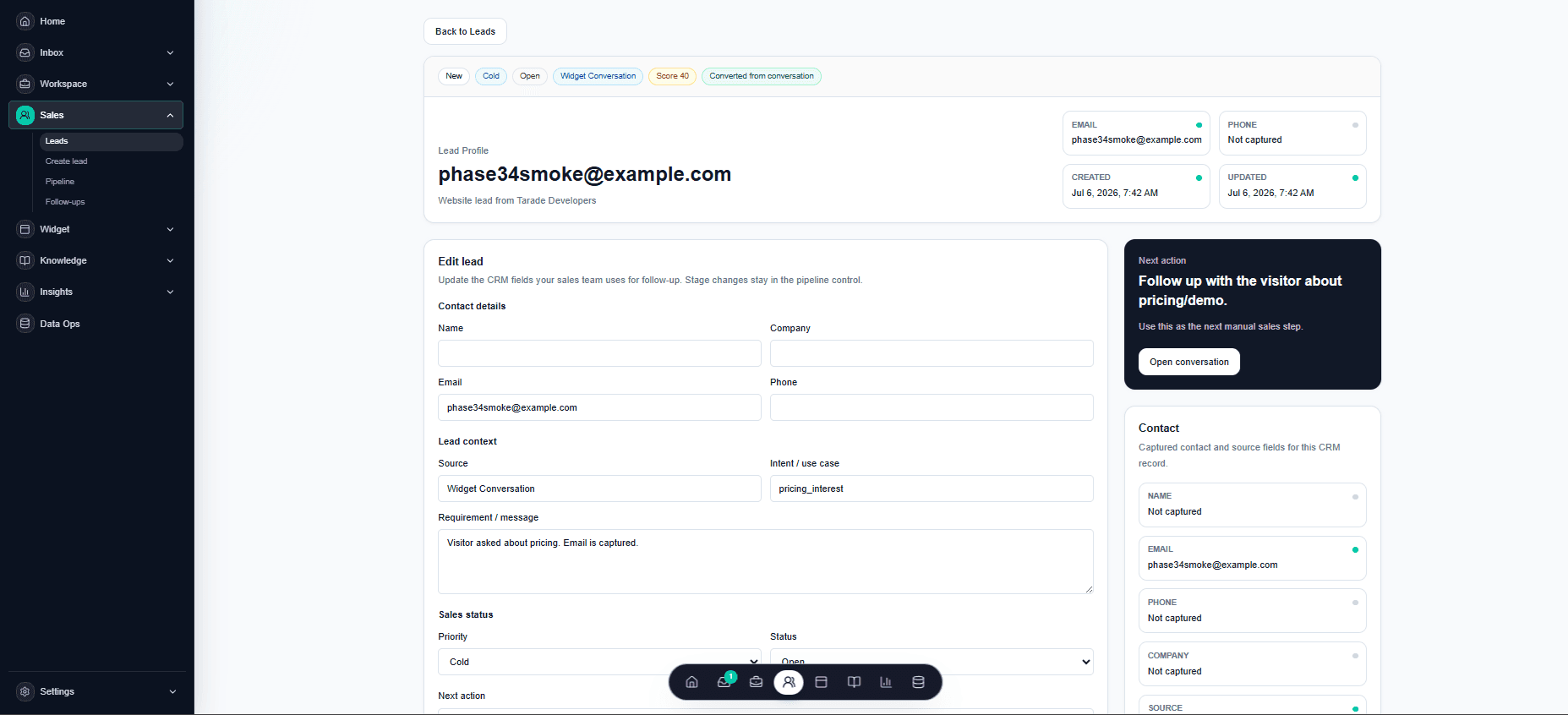
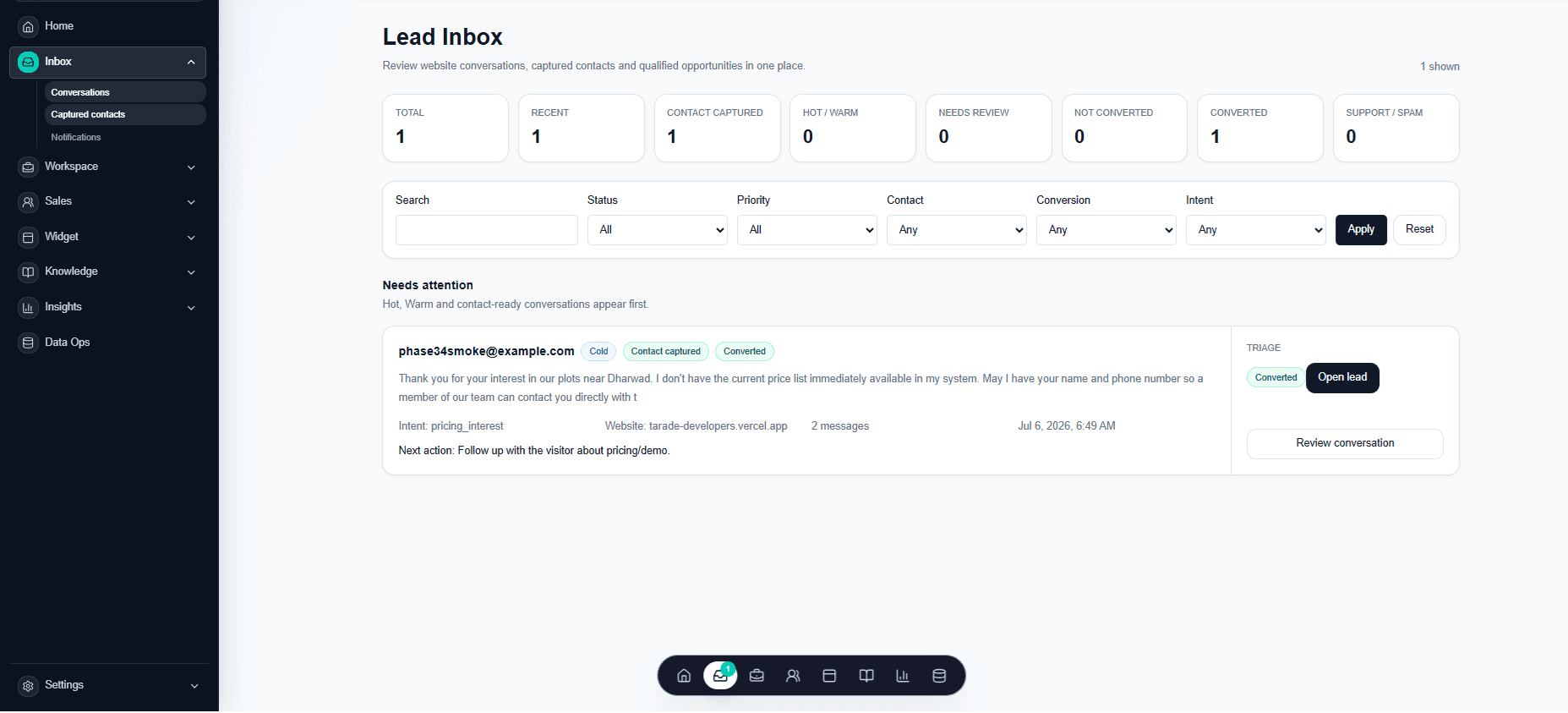
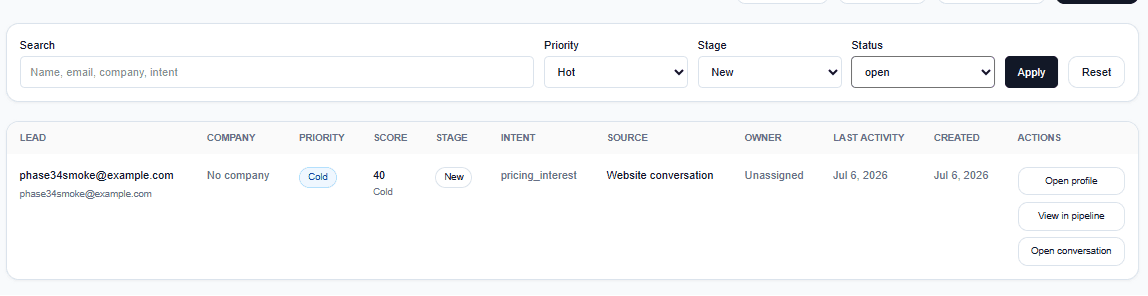
See the conversation, contact, source, intent topic, status and next action in one place.
04Next action
The selected lead gets a clear action, a suggested message and a follow-up time.
05Follow-up
LeadVynx keeps the owner focused on who to call, message, review or close next.
Step 1
Call back today
Step 2
Send brochure
Step 3
Confirm site visit
Step 4
Review pricing lead
Step 5
Mark as closed
Status, context and next step on every lead. Nothing waits unnoticed.
A real buying question sits in a chat window.
→ lands in chat history
The conversation moves to one personal phone.
→ lands in one personal phone
Strong intent that nobody records anywhere.
→ lands in browser analytics
Three signals, three places, zero follow-up.
→ lands in a spreadsheet
Most businesses do not lose leads because visitors are silent. They lose them because every signal lands in a different place.
The channel changes. The outcome stays clear: context is captured, priority is explained and the owner receives a practical next step.
Step 1
Signal captured
Website chat
Step 2
Intent understood
Pricing and location
Step 3
Priority set
High intent
Step 4
Next move prepared
Review approved details and ask for timing
Step 5
Owner briefed
Review this enquiry
Product Theatre · Real interface
Select a real LeadVynx surface. The frame stays consistent while the working context changes.
Review contact state, intent and the next action without switching tools.
Everything in LeadVynx serves one job: no lost leads.
Every enquiry with source, context and next action.
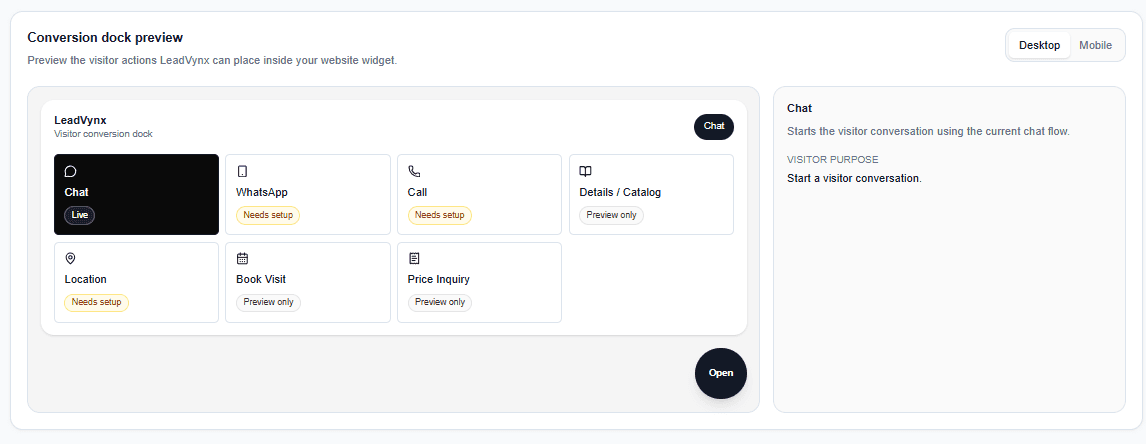
Keep the verified website conversation path visible while other configured actions remain setup-dependent.
Keep visitor questions and captured context visible for review.
Know who to call, message or review next.
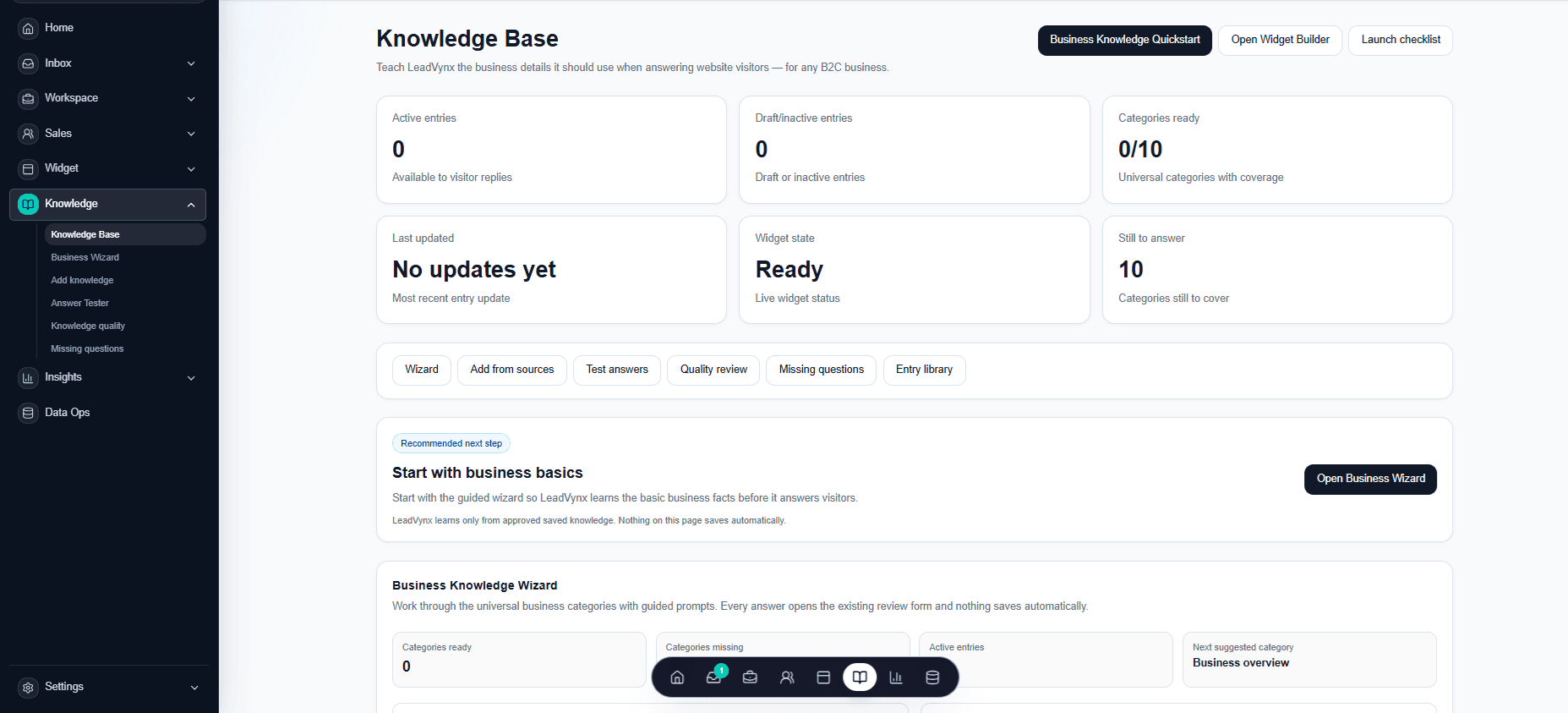
Teach LeadVynx your services, pricing, locations and rules.
Separate serious buyers from noise.
Configure the website conversion dock visually.
Understand which actions create real lead intent.
LeadVynx feature by feature
A visitor acts, the enquiry is captured and organised, the strongest signals rise, the team follows up, approved knowledge keeps answers accurate and the outcome remains measurable.
Brochure request captured
Opened from the 3 BHK pricing page
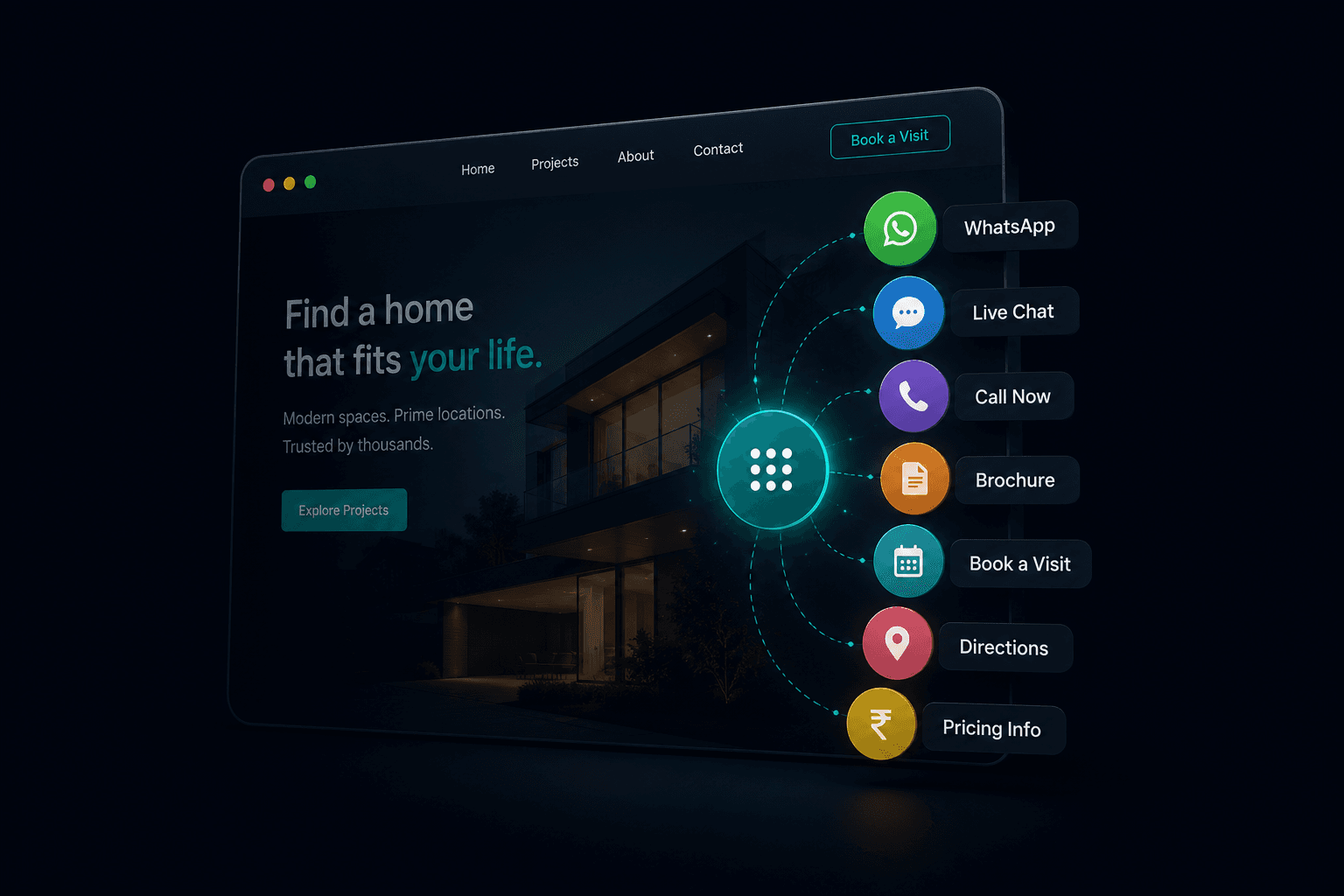
Conversion Dock
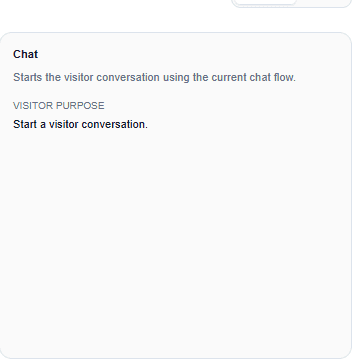
Bring WhatsApp, chat, call, brochure, directions, site visits and pricing enquiries into one branded action dock. Every configured action keeps its page context.
More visitors take the next step instead of leaving unnoticed.
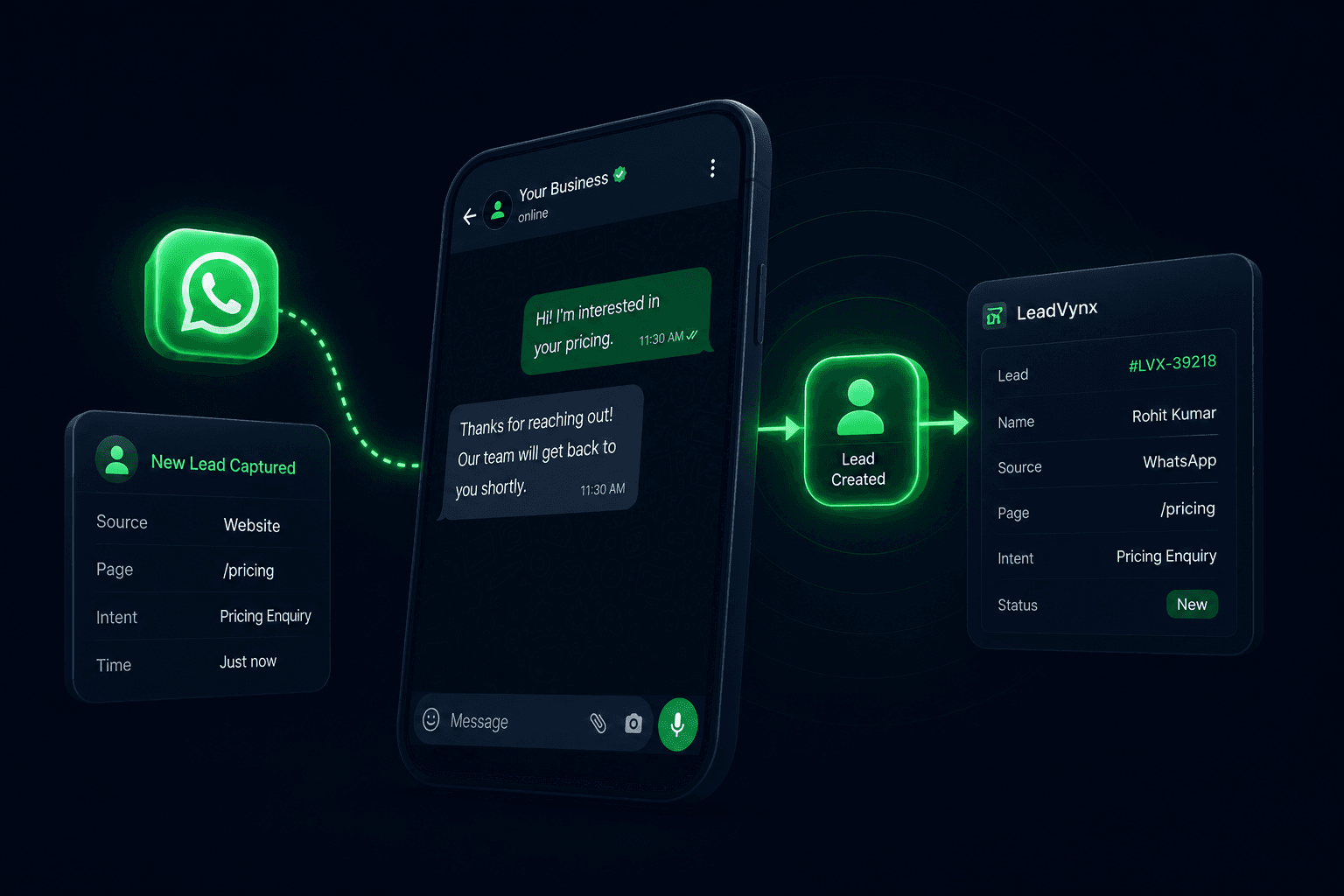
WhatsApp intent captured
Pricing enquiry · Page context saved
WhatsApp Lead Capture
Keep the visitor’s source, page and intent available for review when WhatsApp is the preferred next action.
The enquiry remains visible to the business instead of being buried on one person’s phone.
Priority lead detected
Pricing viewed twice · Call recommended
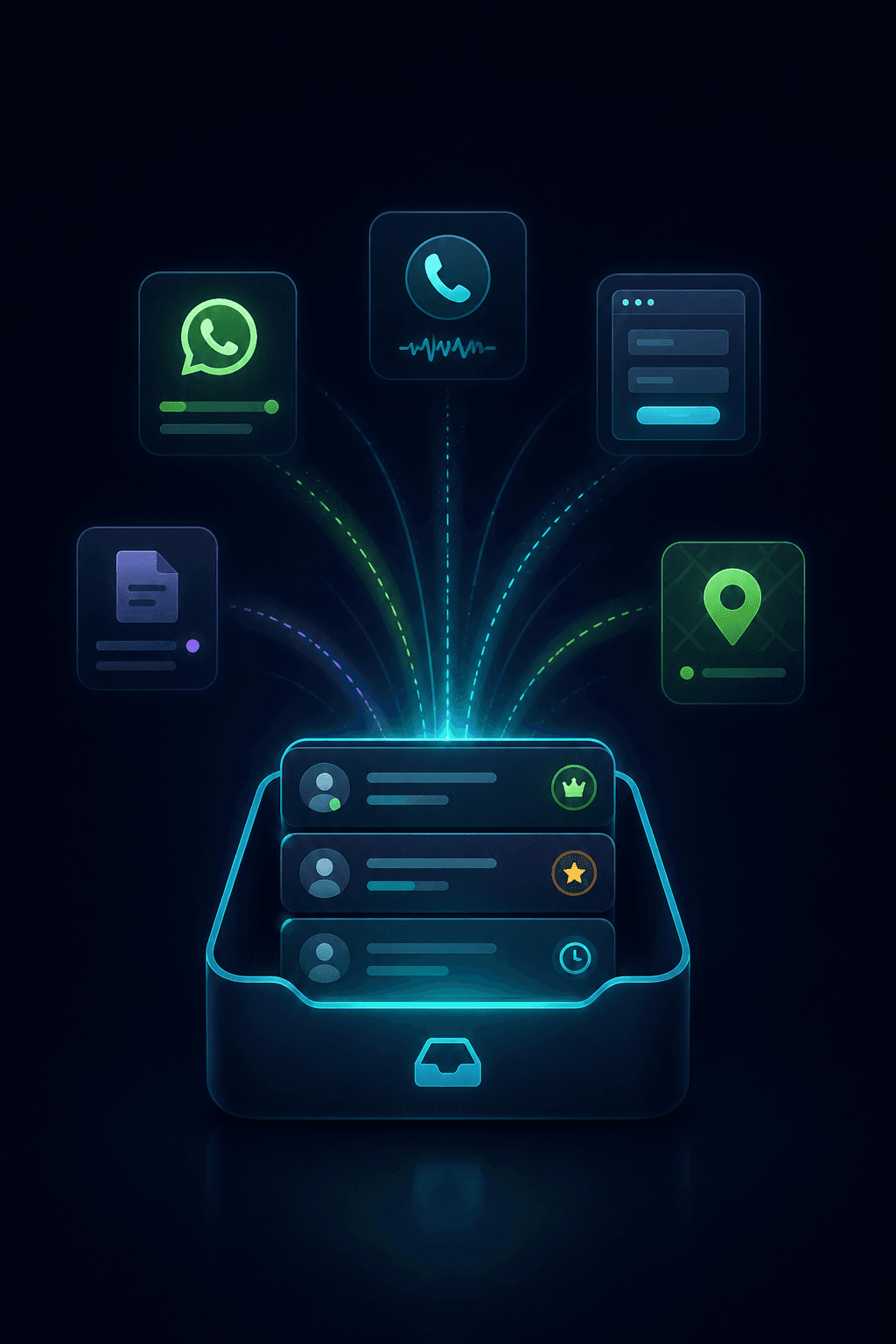
Unified Lead Inbox
Website conversations and reviewed lead records arrive in one shared workspace, organised by source, intent, owner and status.
Your team sees what needs attention without checking five different channels.
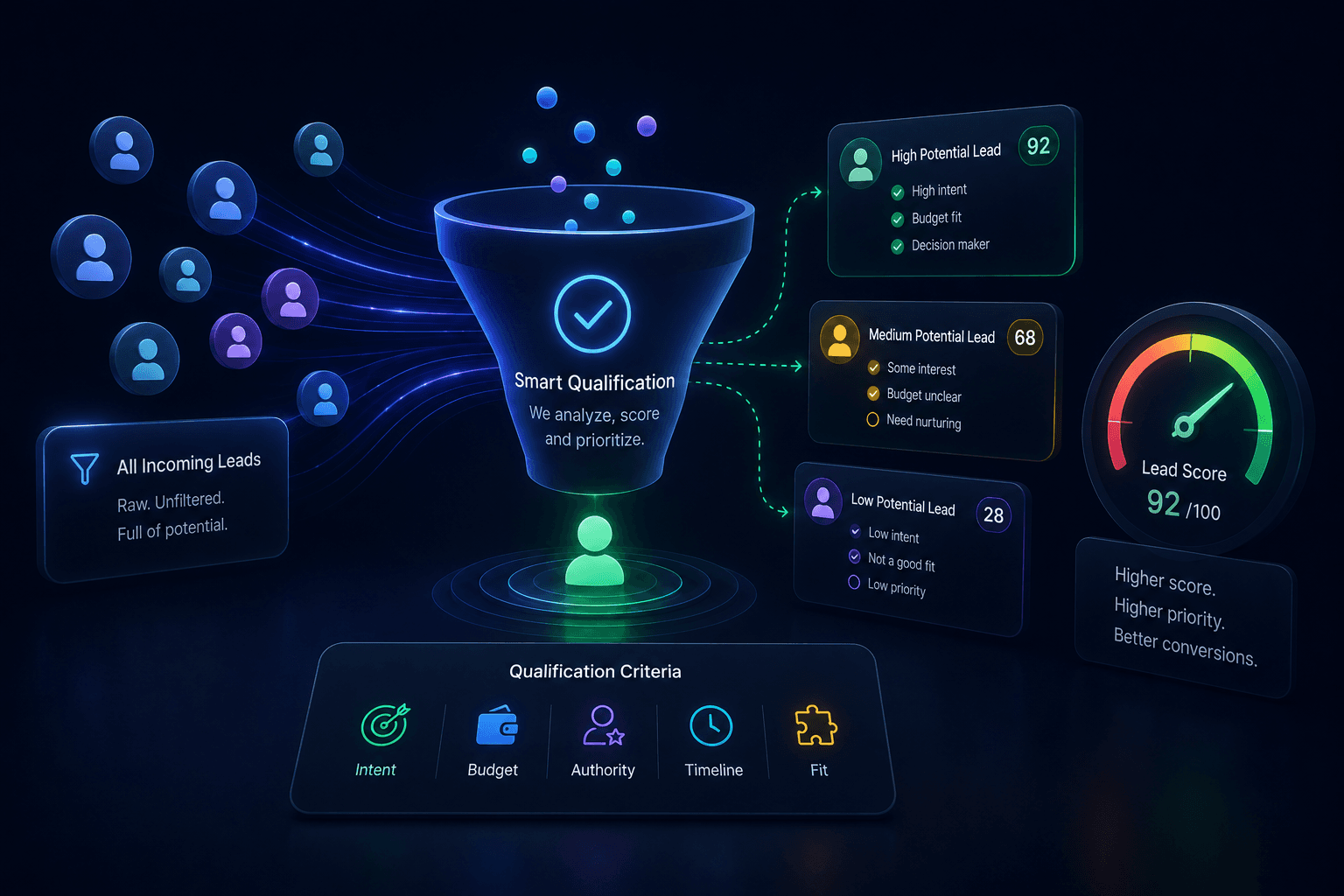
Lead priority: Act now
Pricing reviewed · Visit requested
Lead Prioritisation
Leads are evaluated using conversation signals and business-configured rules, then given an explainable score, fit, urgency and priority.
Your team spends time on real opportunities instead of noisy enquiries.
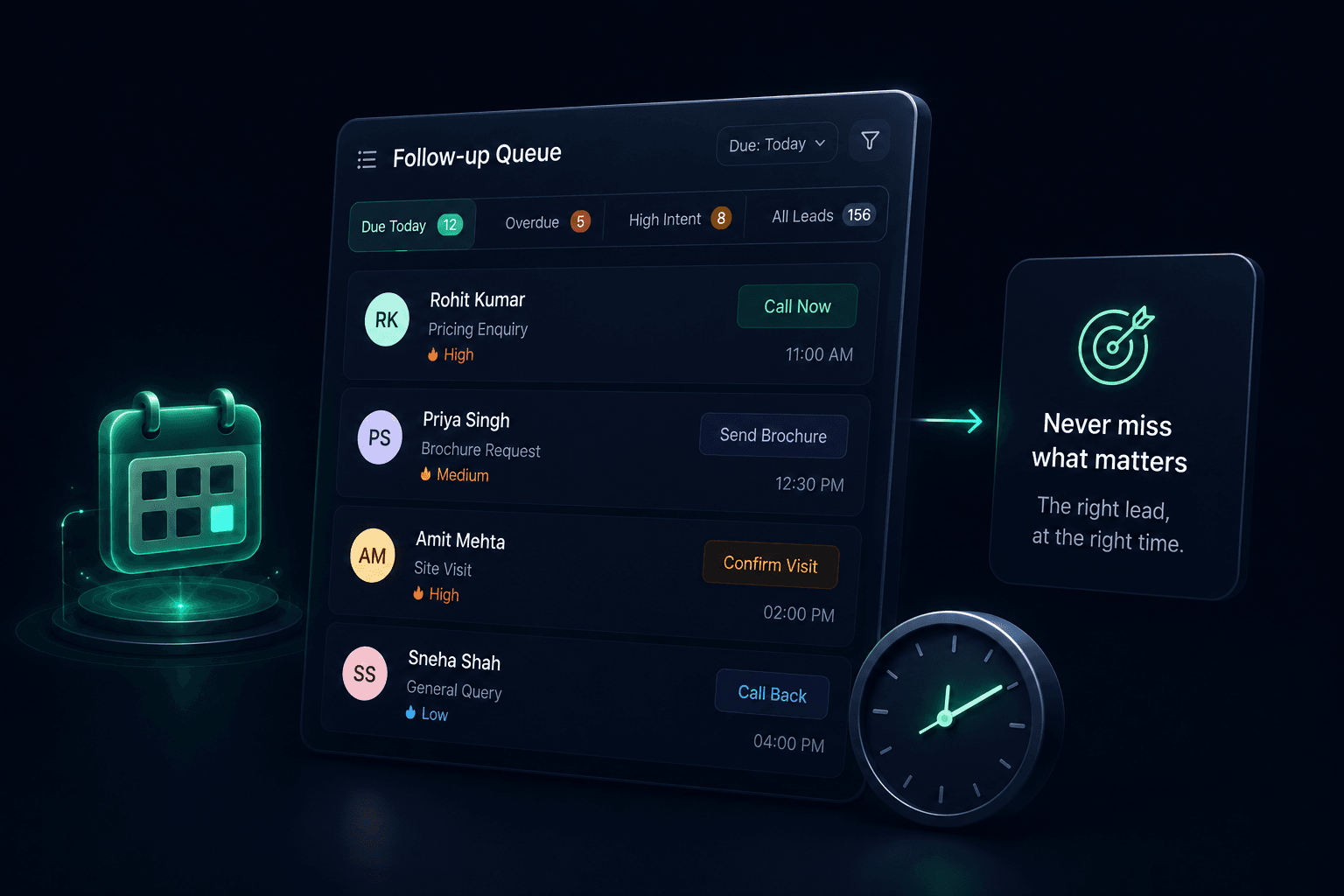
Follow-up due now
Site visit requested · Confirm availability
Follow-up Queue
Every lead carries a next action and due time. The queue brings overdue, urgent and high-intent follow-ups to the top of the day.
Important opportunities stop slipping through because someone forgot.
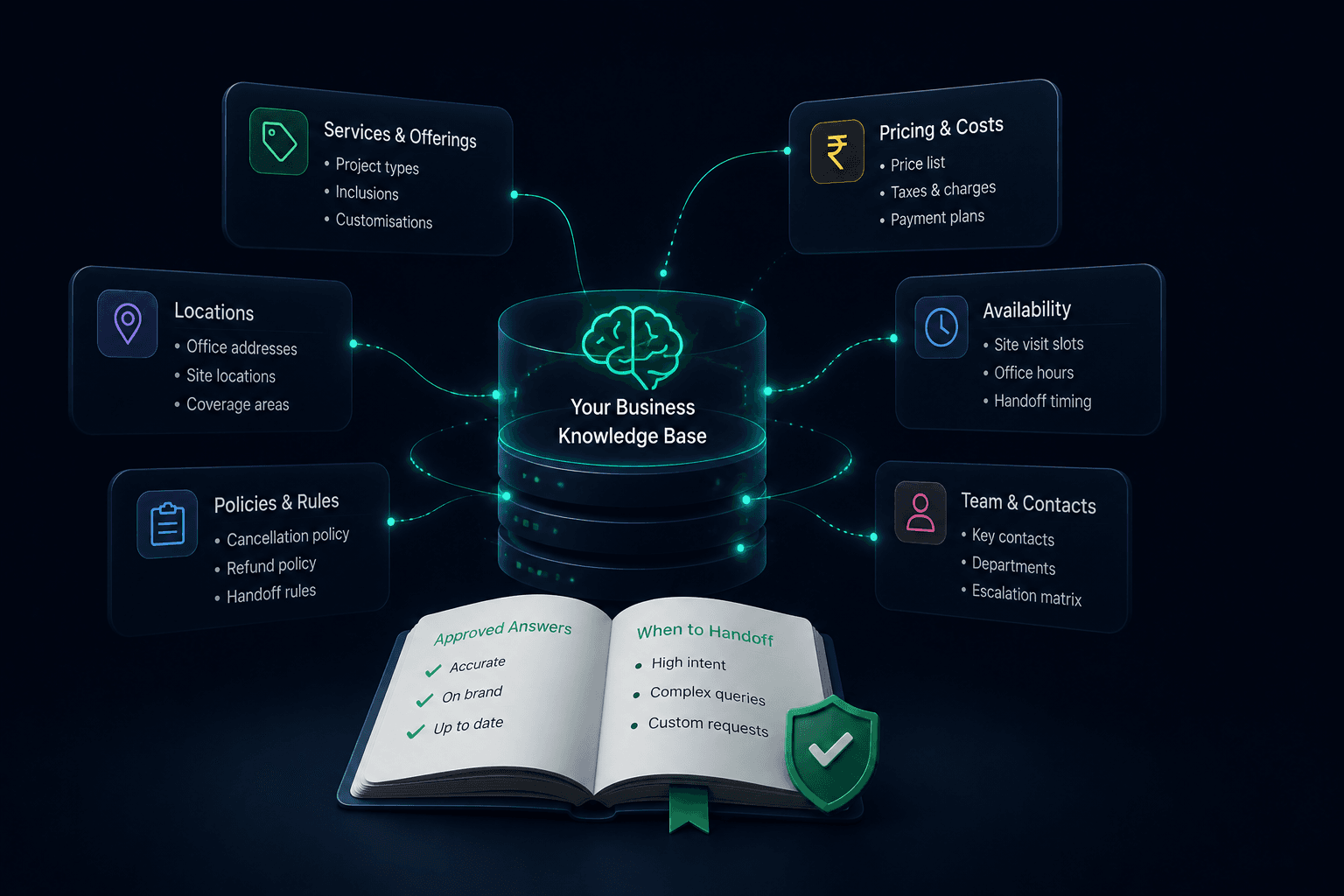
Approved answer ready
Pricing matched with the current rate card
Business Knowledge Base
Store your services, prices, locations, availability, policies and handoff rules in one structured source of truth.
Leads receive reliable answers, while your team knows when a human should step in.
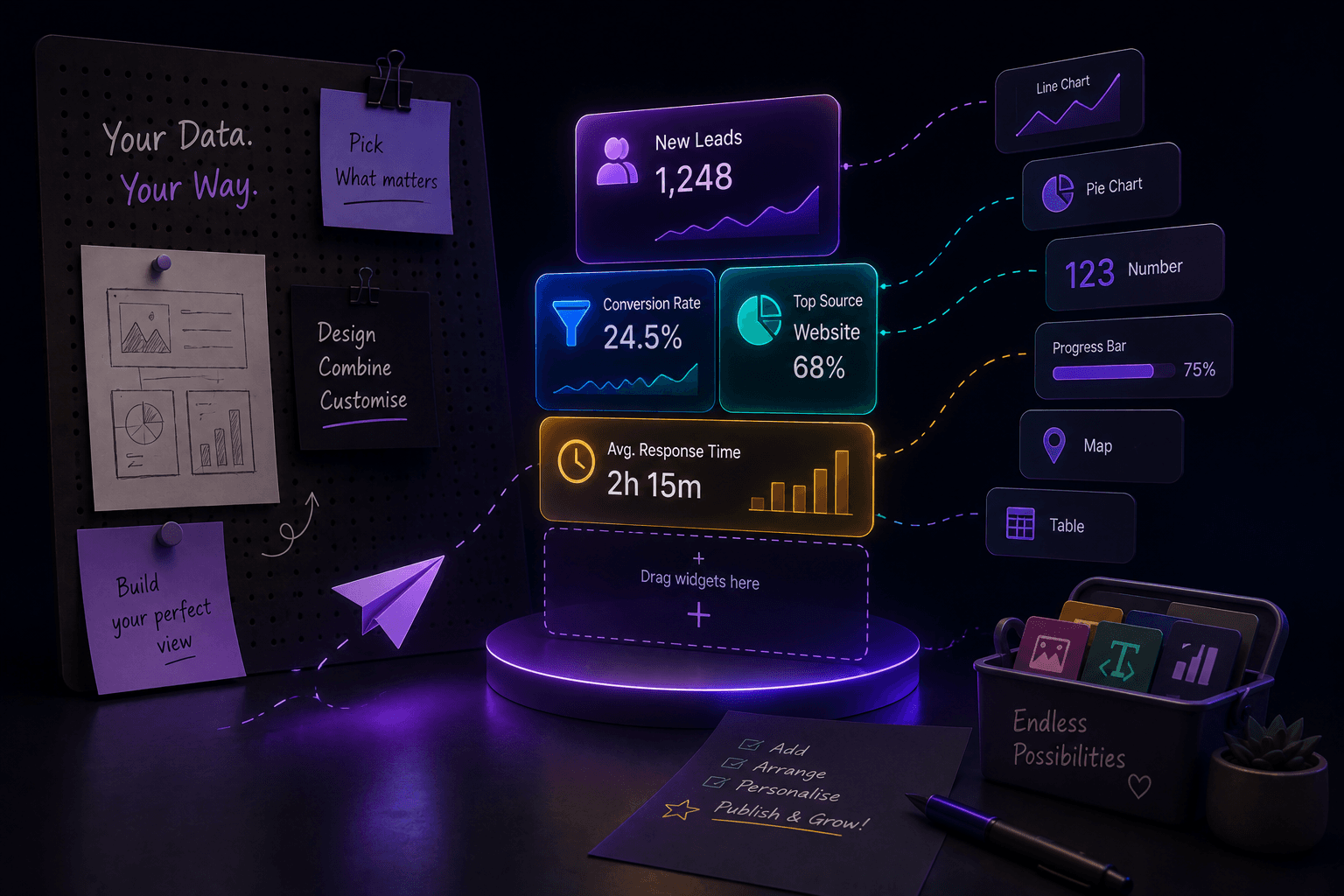
Changes published
“Book a Visit” is now live
No-Code Widget Builder
Choose actions, edit labels, match your brand and preview every change before publishing it to your website.
Marketing improves the visitor journey without waiting for a developer.
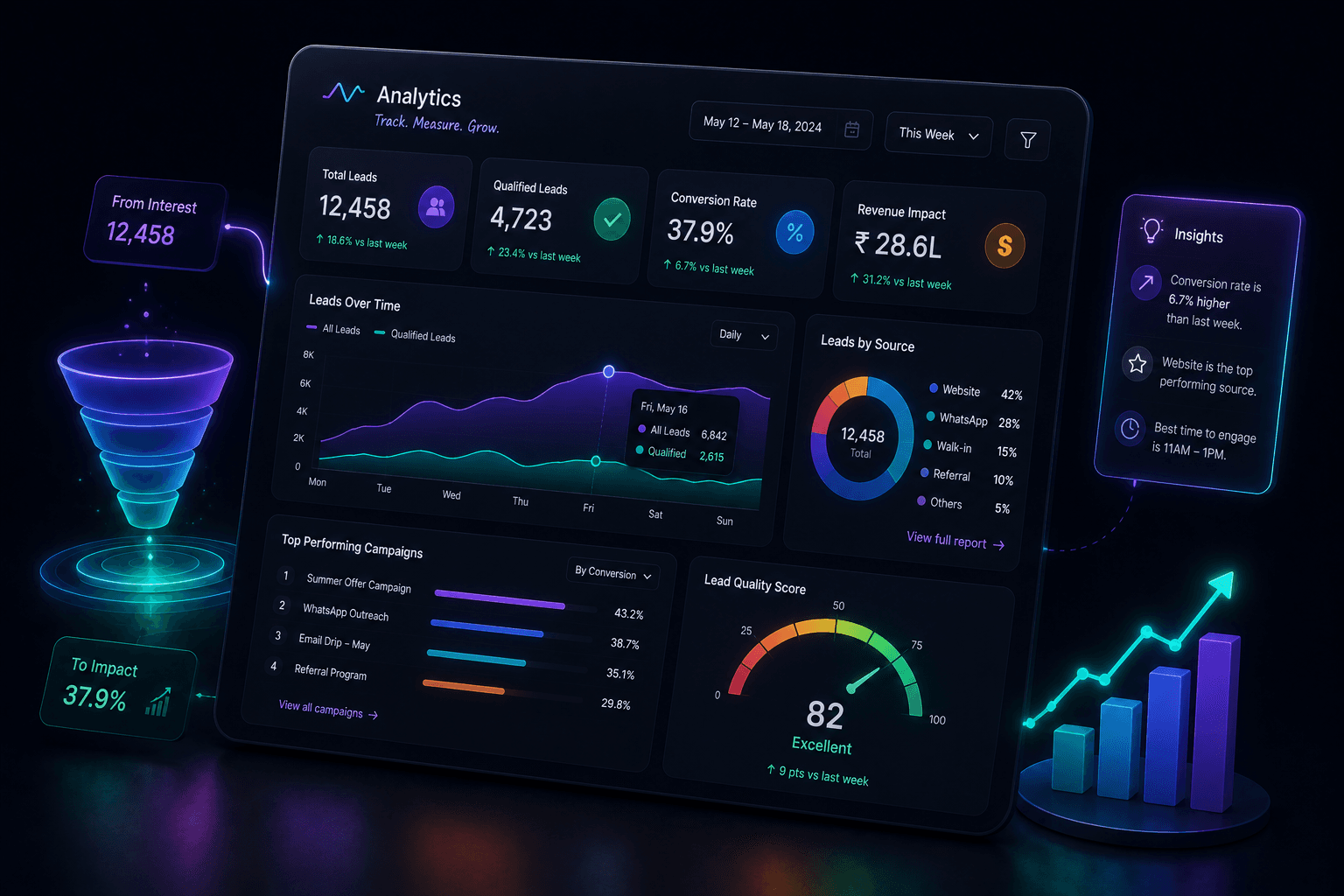
WhatsApp drives the most intent
Pricing is the leading topic this week
Intent Analytics
Compare visitor actions, intent topics, lead quality, follow-ups and outcomes to discover what creates genuine enquiries.
Improve the journey using real behaviour instead of guesswork.
Start with a buying journey that matches your business, then shape the questions, qualification signals and next actions around it.
Typical enquiry
Can I visit the development this weekend and review the approved price range?
What LeadVynx detects
Project interest, visit timing and pricing context
Visit reviewSuggested next action
Review the context and propose a suitable visit time
04 Act · Owner route
Instead of checking five places, the owner sees who needs a call, who needs a message and who is ready for follow-up.
Visitor activity
Before LeadVynx
Five signals in five places. No owner view.
After LeadVynx
Hi, sharing the brochure and location. Would you like to visit this week?
One card with source, intent, status and next action.
Hover a row to see why it was prioritized.
Pricing question · Website chat
Updated recommendation
Send a message
Hi Priya, thanks for the enquiry. Sharing the details now. What matters most to you?
Add services, pricing, locations, FAQs, policies and handoff rules so every lead has better context.
Active knowledge area
Services
LeadVynx knows what you offer, so enquiries route to the right service.
Every response and every handoff runs inside rules you define. Nothing is invented and nothing goes out that you did not allow.
Active rules
Share the website and current process
Configure approved business knowledge
Install LeadVynx
Review enquiries and refine the workflow
Assisted setup, handled by the LeadVynx team.
LeadVynx is evaluating assisted website enquiry workflows across real estate and construction, education, agencies and multi-location businesses. Feedback remains structured and publication requires customer approval.
Customer stories will be published only after participating customers approve the workflow, results and quotation.
Get Started for FreeOwners review and archive business knowledge.
Dashboard access is authenticated and account-scoped.
Stored conversations remain visible to authorised workspace members.
Contact LeadVynx for export or deletion requests.
One reviewed website lead workflow with assisted setup.
A scoped plan for businesses that need more than one standard website workflow.
LeadVynx is an AI website assistant and lead workflow platform. It connects reviewed visitor conversations, buying context, qualification and follow-up work.
The assistant is one acquisition channel. LeadVynx also preserves conversation context in an account-scoped lead workflow for owner review.
It captures stated requirements, timing and intent signals, then shows deterministic qualification context for human review.
Yes. Owners add, review and archive business knowledge. Active reviewed knowledge is available to the visitor reply workflow.
Yes. A visitor can choose to share contact details during a website conversation.
The current workspace supports lead ownership. Teams review the conversation and control lead conversion and assignment.
Multi-location requirements are reviewed as a scoped Business plan rather than claimed as a standard self-service setup.
LeadVynx includes a focused lead inbox, profile, pipeline and follow-up workflow. It does not claim every capability of a general-purpose CRM.
A reviewed widget script connects one configured website origin to the LeadVynx website conversation workflow.
Every Starter customer receives one reviewed website workflow, business knowledge setup, lead capture, qualification, inbox access, next actions, basic analytics and assisted setup.
No. Getting started with LeadVynx does not require a credit card.
Dashboard access is authenticated and account-scoped. Business knowledge remains owner-controlled and private credentials stay server-side.
Ready for a clearer lead workflow?
Get started with LeadVynx, with assisted setup from our team.