What changed this week?
Qualified activity is steady, while five due actions moved into overdue status.
LeadVynx connects lead activity across conversations, forms, imports and follow-ups. It then shows what is converting, what is stalling and where your team should act.
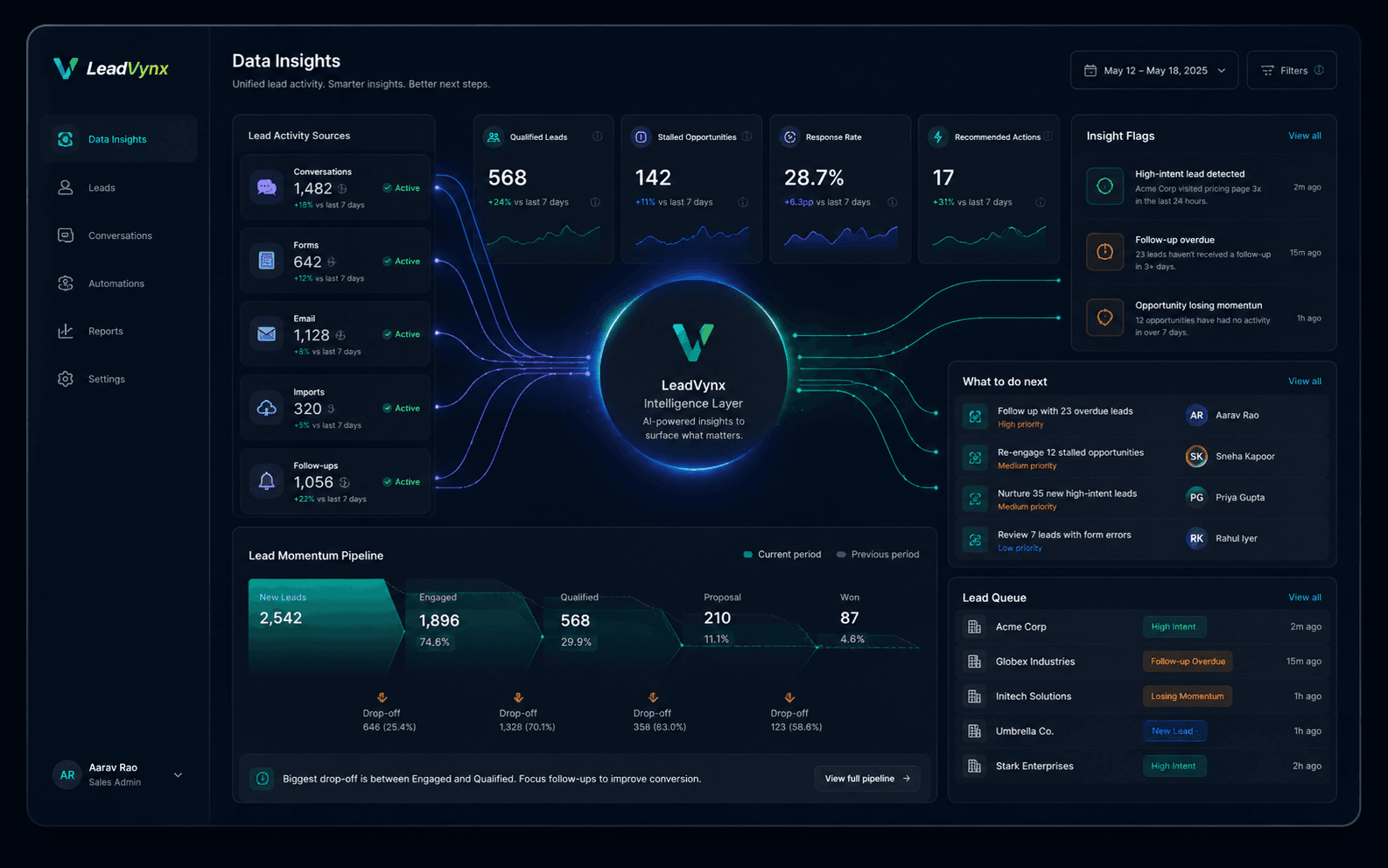
See which sources, conversations and actions create qualified opportunities.
Surface stalled leads, missed follow-ups and incomplete qualification.
Connect each finding to a record, owner and review action.
Connect each supported source, map fields, resolve inconsistencies and verify records before they influence reporting.
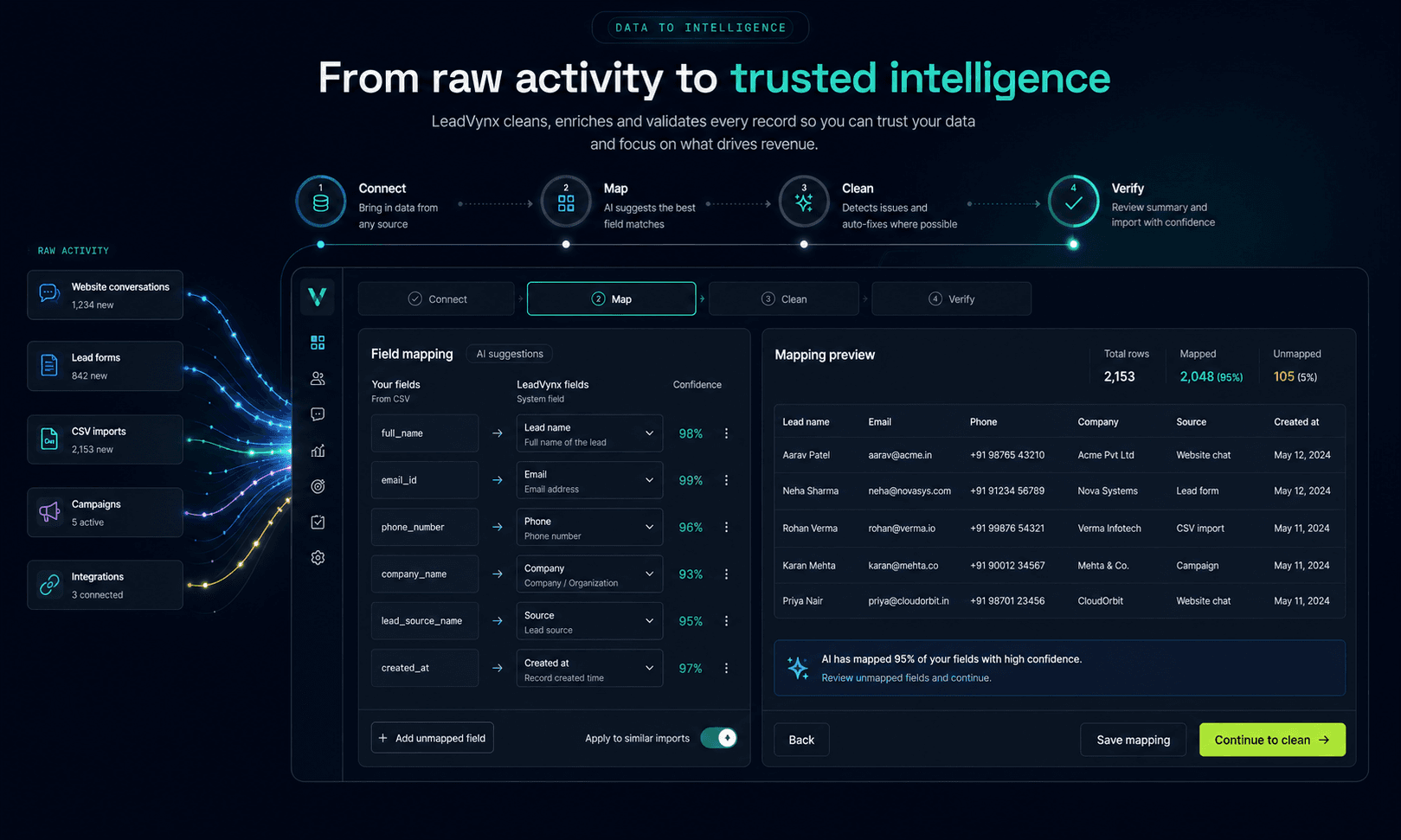
Bring supported lead activity and reviewed CSV data into the workspace.
Match incoming columns to known lead fields before import.
Surface missing values and possible duplicates for review.
Confirm the record before it affects working reports.
Use guided business questions to move directly to an evidence-backed sample view instead of manually assembling separate reports.
Qualified activity is steady, while five due actions moved into overdue status.
This is a deterministic marketing example, not a claim that a live natural-language analytics assistant is already available.
Review the affected record, compare it against existing data and choose the right correction without leaving the working context.
Move between lead volume, pipeline health, follow-up performance, source quality and conversion actions without rebuilding reports or losing the meaning of each filter.
Context inherited from workspace
Across 3 owners
63% of overdue follow-ups belong to Proposal-stage opportunities created within the last 14 days.
Start with Proposal-stage opportunities created during the last 14 days.
LeadVynx brings every interaction into one trusted lead profile, then uses the complete context to identify priority, risk and the right manual action.
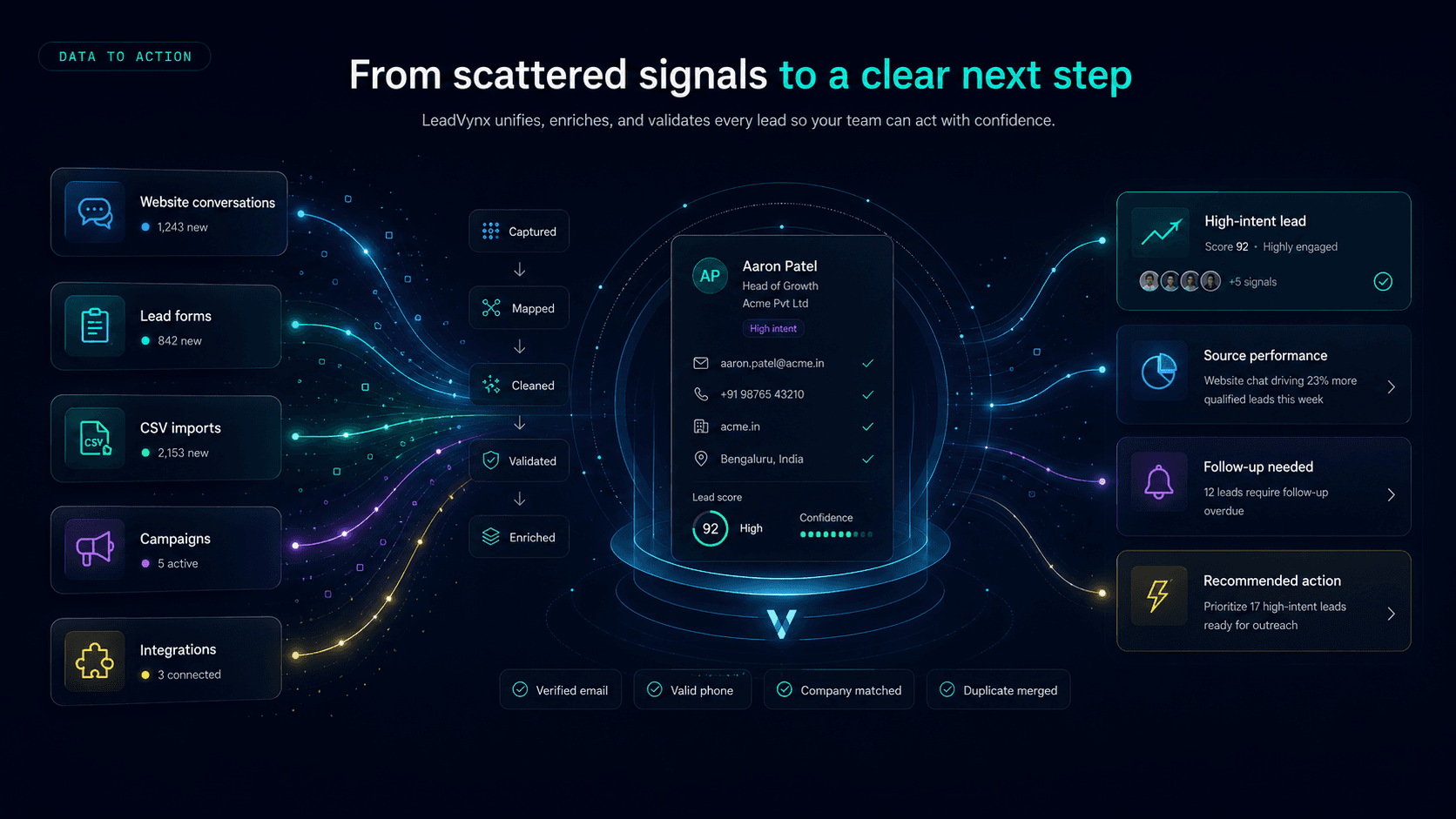
Connect each insight to a reviewable assignment or follow-up without copying the supporting context between tools.
Three proposal-stage opportunities have no confirmed next action.
The manager opens the records, checks recent activity and confirms the owners.
A follow-up is assigned with a due time and the relevant lead context.
See where supported fields and activity originated.
Review how qualification, conversion and priority are defined.
Keep time period and report filters visible.
Show when the working view was last updated.
Retain the context around reviewed changes where available.
Open the lead or conversation behind a finding.
Keep private workspace data within its authorised account.
Use the existing CSV workflow when a portable copy is needed.
See what is converting, what is being missed and where your team should focus next.